
VidUP Reviews
Video testimonials widget that updates itself
Customer video reviews are more convincing than a star rating, but collecting and showing them is usually a chore. VidUP Reviews does the work: customers record on their phone, you approve, and a single embed shows your approved reviews on any site that accepts an iframe. New reviews appear automatically, and it fits alongside your business video.
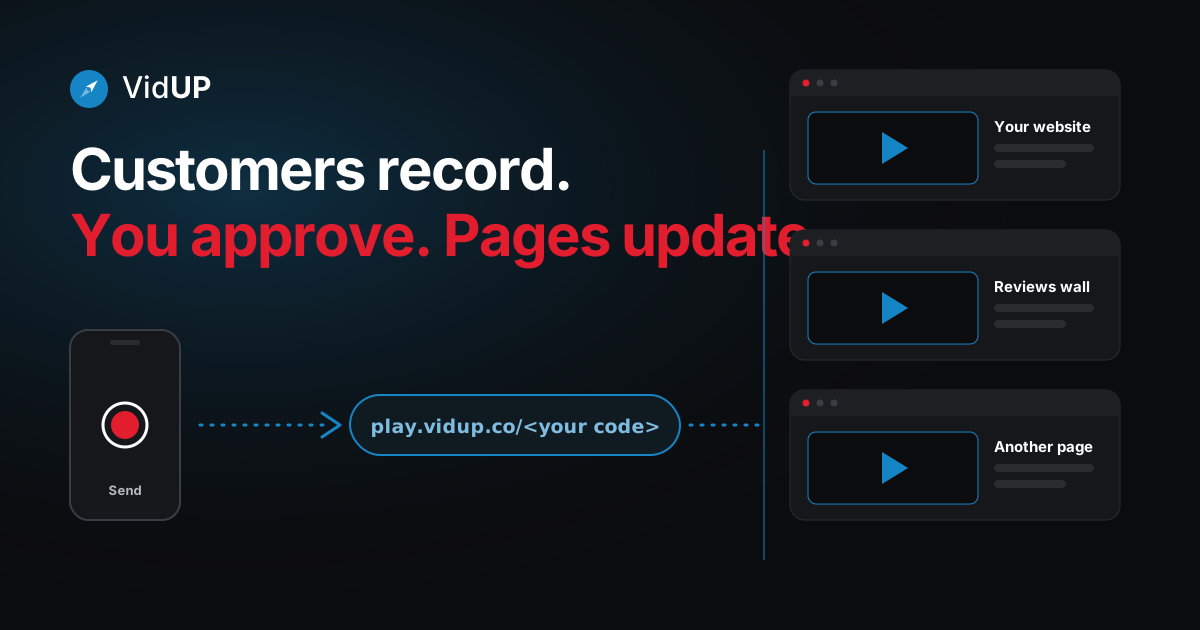
How video reviews work with VidUP
Text or scan
The customer texts your keyword or scans your QR code.
Record on their phone
A short video recorded in the browser. No app needed.
You approve
Review each video, approve or hide it, and drag your favorites into order.
It updates the embed
Your approved reviews show on your site and refresh automatically.
One embed, any site
Your reviews wall is a normal iframe, so it works on any site that accepts an iframe. You can also share a direct page: reviews.vidup.co/<reviewer code>.
Because the embed reads your current approved list, adding a review does not mean editing a page. Approve it, and the wall on your site changes. For the full details, see VidUP Reviews.
Update it from your phone
Customer reviews are one part of the story. Your own video is the other. With the VidUP app you can update your business video from your phone: record, hit Send, and the one player on your site updates. No re-uploading, no re-embedding, no editing the site.
Open the VidUP app
Your player code lives in your account. It never changes.
Record or choose a video
Record a short landscape take, or pick one you already have.
Hit Send
That is the whole update. No extra steps.
Your player updates
Every page that embeds your player shows the new video.
VidUP is on the App Store for iPhone. On Android, the VidUP web app runs in your phone's browser; the Google Play app is coming soon. Keep your own video fresh while customers add theirs.
Why video reviews help
- They show a real customer. A face and a voice carry context a star cannot.
- They stay current. New approved reviews replace stale ones without a site edit.
- They sit well with the rest of your page. Pair them with an auto-updating video embed of your own.
Frequently asked questions
What is a video testimonials widget?
It is an embeddable block that shows customer video reviews on your website. VidUP Reviews collects the videos, lets you approve them, and gives you one embed that shows your approved reviews.
How do customers record a video review?
They text your keyword or scan your QR code, then record a short video on their phone in the browser. They do not need to install an app.
Where can I embed the reviews?
On any site that accepts an iframe. Your reviews also have a shareable page at reviews.vidup.co/<reviewer code>.
Do new reviews update the page automatically?
Yes. When you approve or reorder reviews in your dashboard, the embed on your site shows the change. You do not edit the page.
How do I update my own business video?
Open the VidUP app, record a new video, and hit Send. The VidUP player on your site updates; no re-uploading and no re-embedding. Video reviews and your own player work side by side.
Keep reading
One player. Update it from your phone.
Sign up, paste your player once, then record in the VidUP app and hit Send. Your pages show the new video.